This project was a collaboration between our library media specialist and myself. In library, fourth grade students learned about being a good digital citizen. Their assignment was to create a superhero and write a script that would teach other students how to be good digital citizens. In art class they used their ideas to create the superhero. We used color pencil and watercolor for the background. Students tried to give the illusion of space by using bright, bold colors for the foreground and lighter values for the middle and background. When they were finished we used the Chatterpix app on the iPads to record our messages. Each superhero has a QR code so that students can quickly scan and hear their message. Here are a few finished ones.

Showing posts with label Grade 4. Show all posts
Showing posts with label Grade 4. Show all posts
Wednesday, March 23, 2016


Wednesday, December 16, 2015
Storyteller Dolls
Fourth grade students looked at Native American Storyteller dolls. We talked about Cochiti Pueblo potter,Helen Cordero and her clay figure that represents her grandfather telling Native American Tales. We also discussed the connection Helen had with her artwork and grandfather. I asked my students to make a connection with their artwork like Helen. The kids did a great job on them. We used an upside down pinch pot for the body. Below is a picture of a few finished pieces. If you would like to see more go to our school gallery at http://www.artsonia.com/museum/gallery.asp?project=1035988
Each Student wrote an artist statement about their piece. Here are a few quotes they wrote about their work.

Each Student wrote an artist statement about their piece. Here are a few quotes they wrote about their work.
Artist Statement (what lily3425 said this about his/her artwork)
This piece is important to me because this is me and my dad watching football my dad and I bond over football because every night we play pass with a football every time the patriots get a touchdown my dog Autumn gets a cookie.
Artist Statement (what Nagy2 said this about his/her artwork)
This piece is important to me because it is my mom and I when I was a baby. The hardest part for me was the legs because even when you scratch and attach, they still break off sometimes.
Artist Statement (what Beaulieu1 said this about his/her artwork)
This is important to me because I like soccer. Because it's fun. It is fun because I keep the Jersey.


Saturday, April 11, 2015
Elements of Art Super Heroes
Fourth grade students did a great job creating these fun superheroes inspired by an element of art. After reviewing the elements of art we brainstormed ideas. I loved hearing all the creative powers they came up with. We used sharpie to outline our drawings and then crayons and liquid watercolors to add color. We also used the ComicBook! app on the iPads to create comic book pages sharing what our superheroes power was. Here are some of the finished pieces. You can see the exhibit on Artsonia here:http://www.artsonia.com/museum/gallery.asp?exhibit=934637


Sunday, January 25, 2015
Fourth Grade Clay Totems
Fourth grade just finished a challenging clay project. I found these amazing clay totems at a blog called Ceramics 283. The photos were so inspiring I wanted to try a version of this with my students. It was definitely a challenge for them but they loved it. If I am going to do it next year I will make some modifications for sure. The most challenging parts were making a sturdy base and beads that would fit on the wooden dowel.
After looking at some of the totem photos kids sketched some ideas. Some chose to do a theme and some just a variety of shapes. Each totem had a base, beads and a topper. The project took a lot longer than I had thought. Many kids needed to restart their beads because the hole they made was to small. The firing also took longer because I had to use bead racks and those take longer to load in the kiln. We finally finished and the kids were happy with the results. My students photograph all of their artwork to a website called Artsonia where they each have a digital portfolio. They also have the option of titling their work and leaving comments. I thought this comment summed up the project very well.


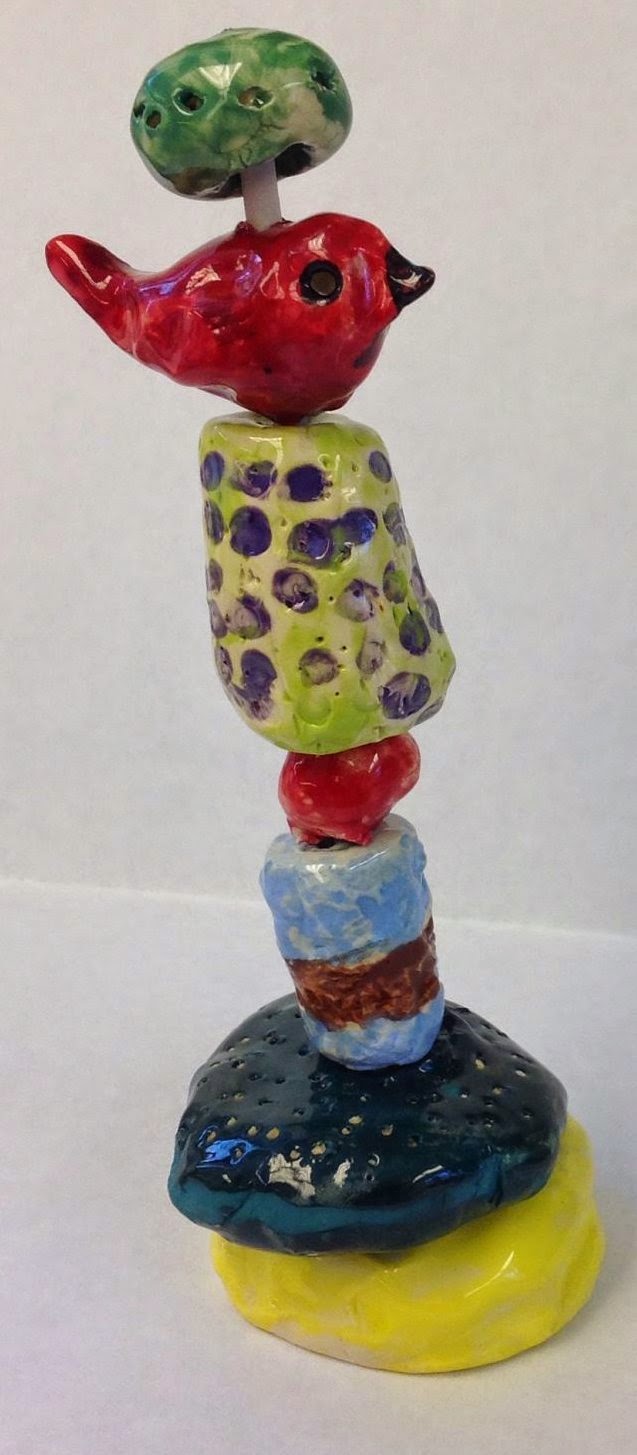
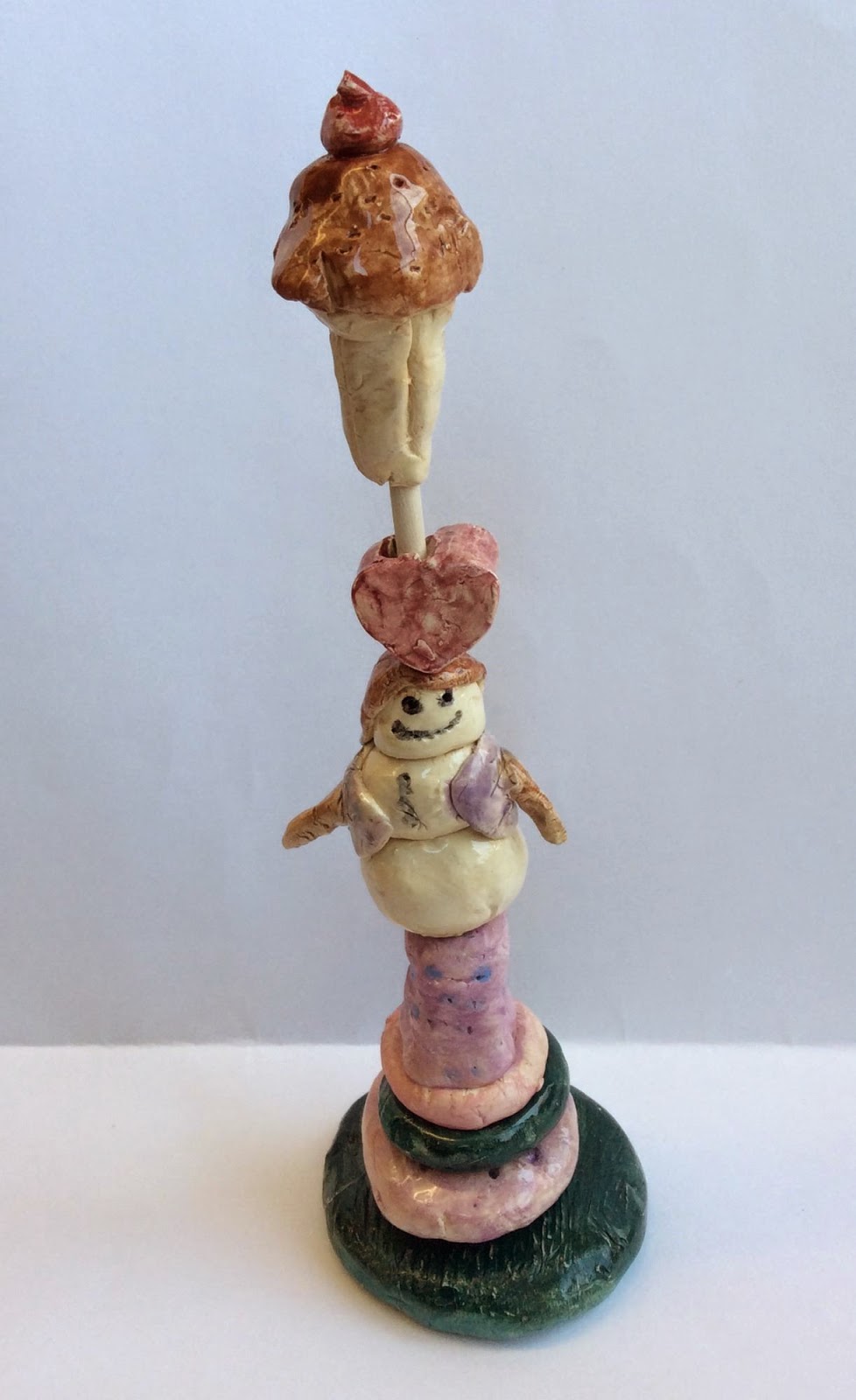
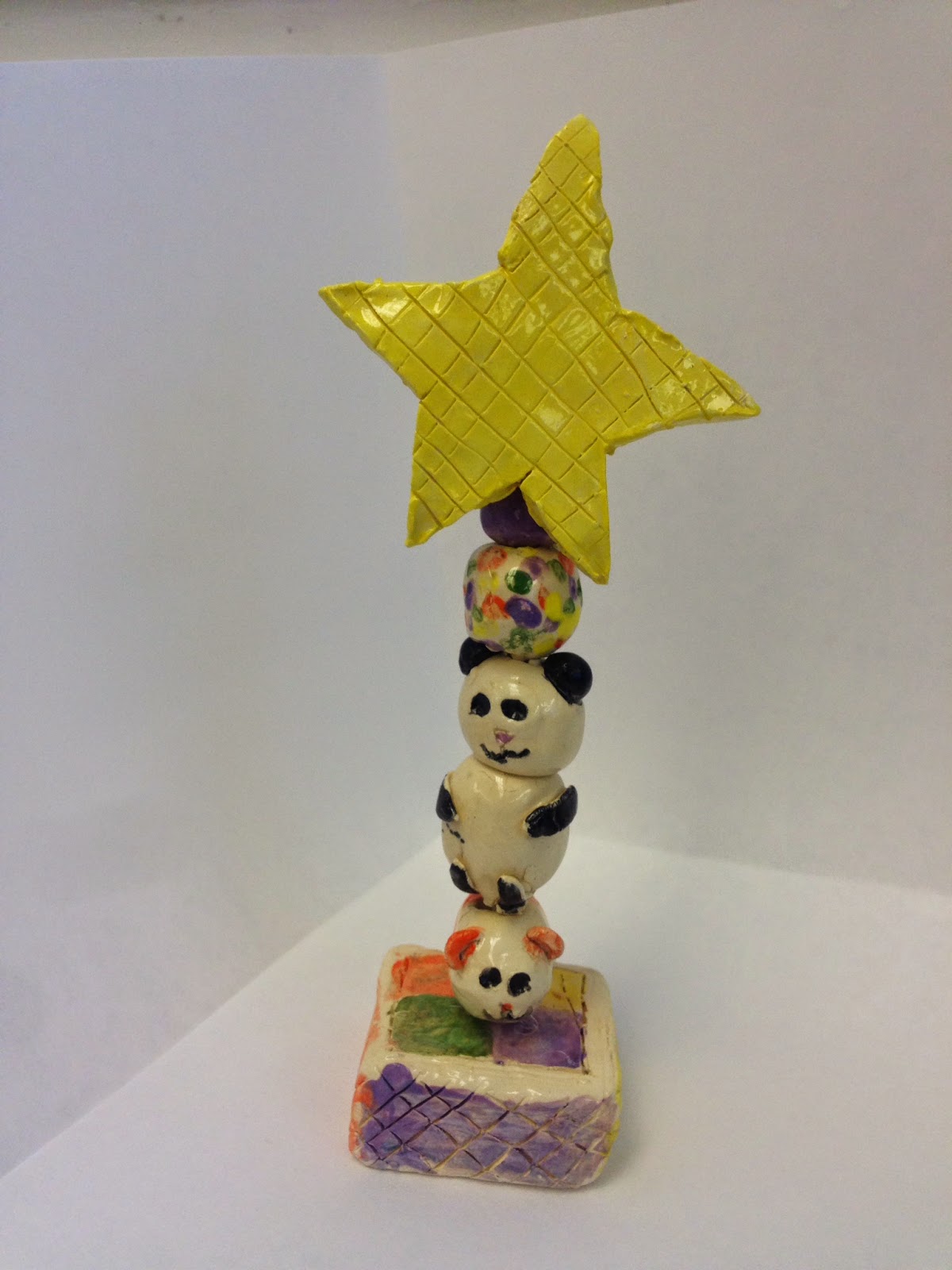

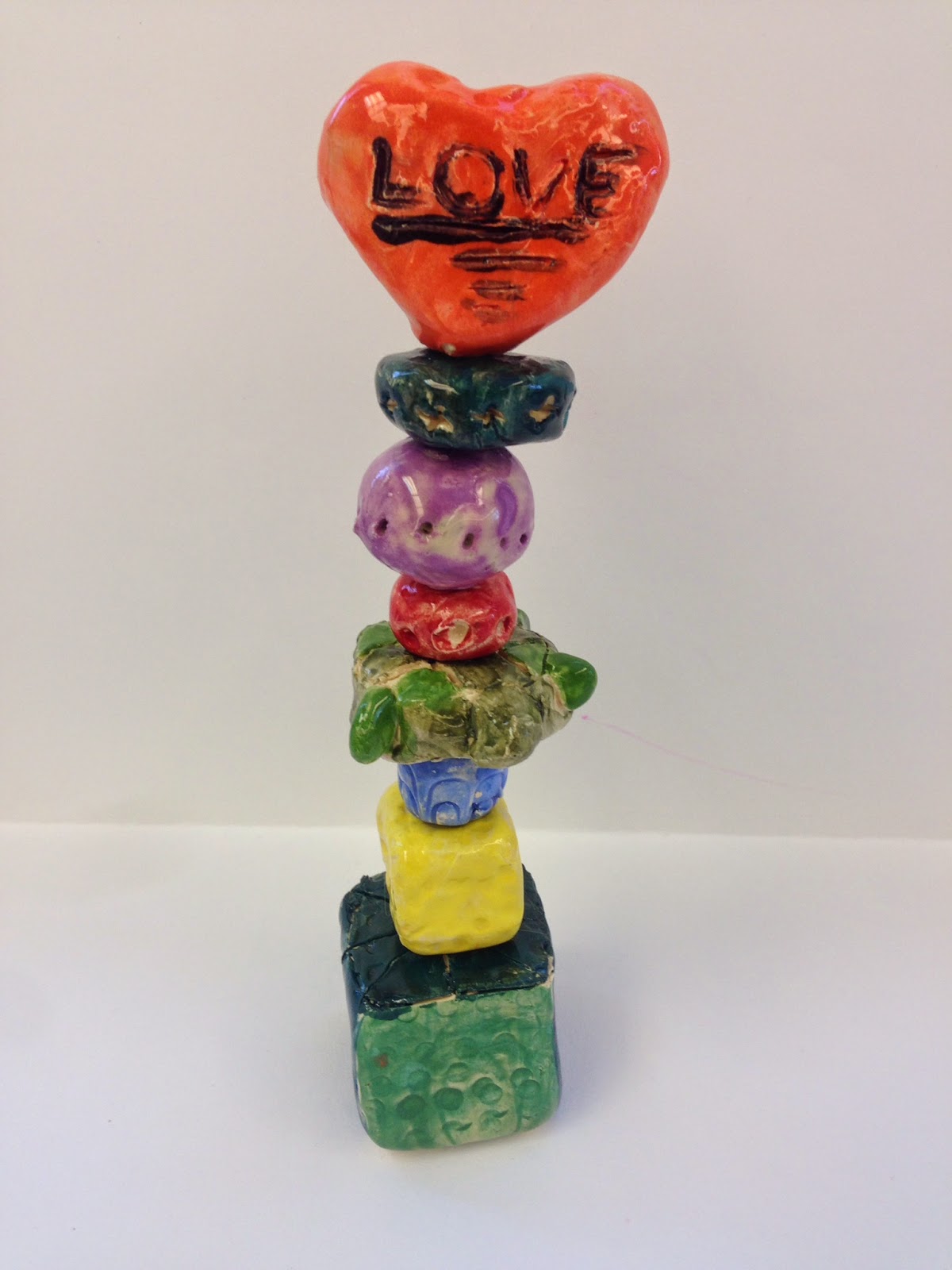
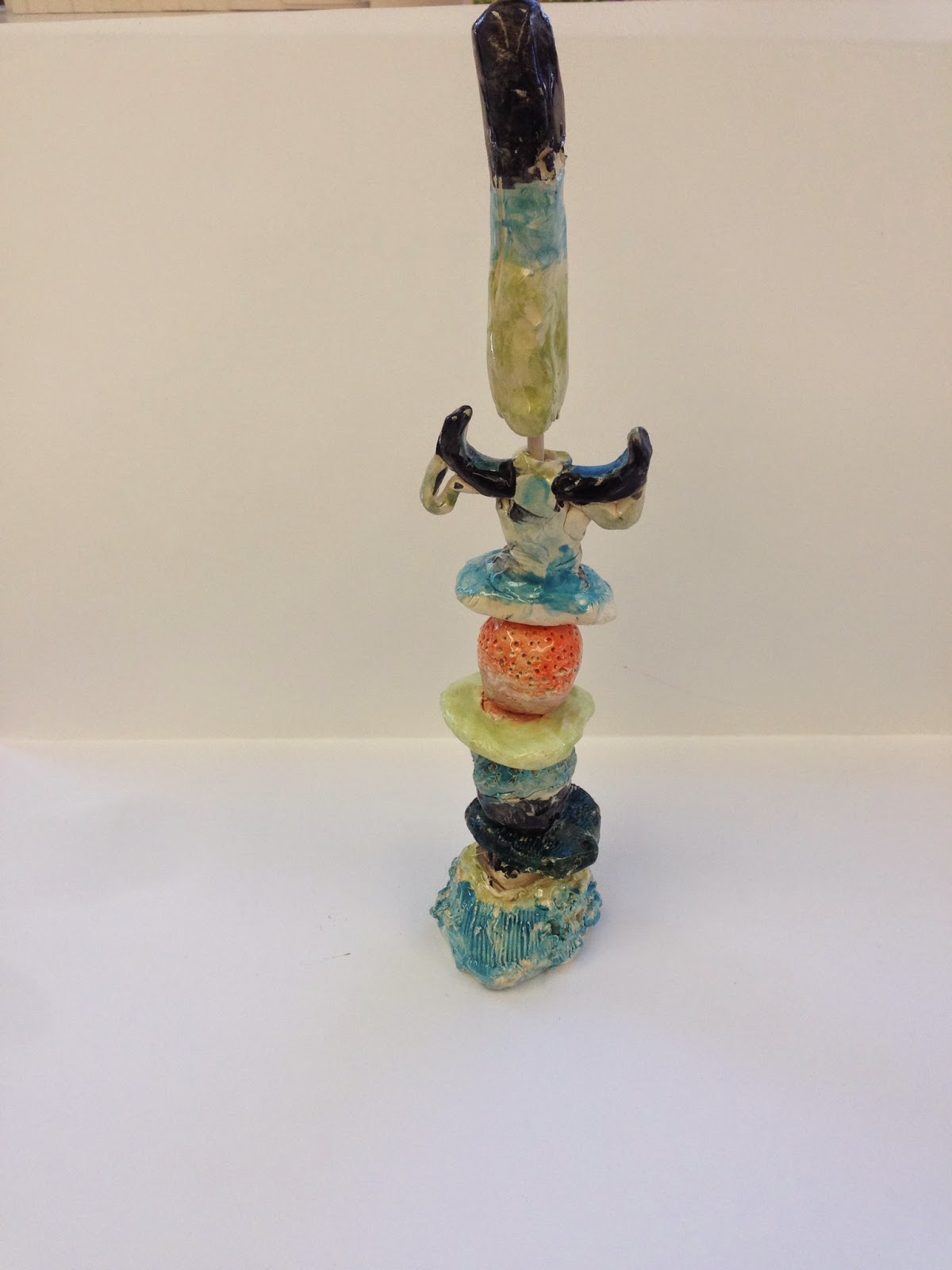
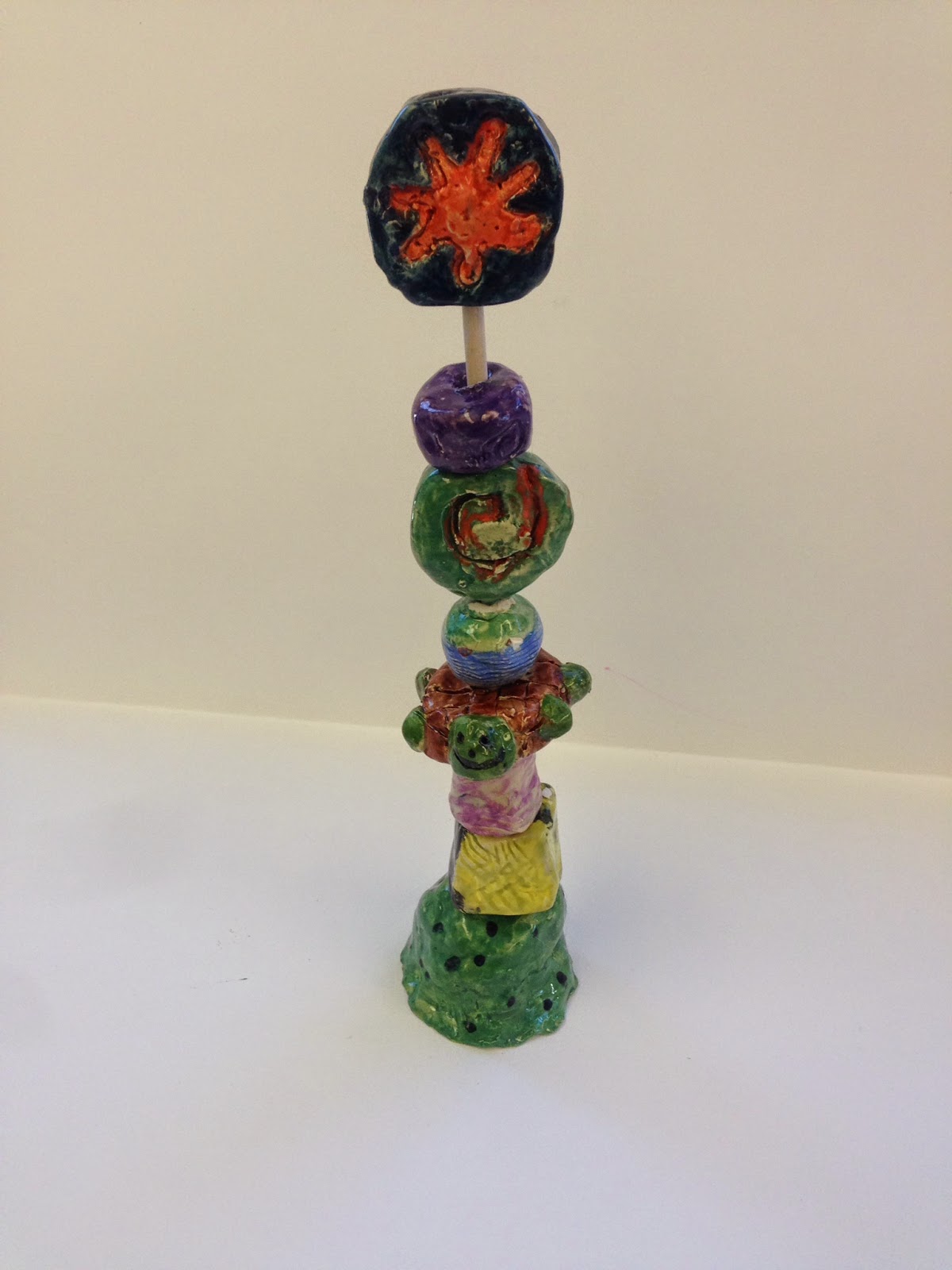
After looking at some of the totem photos kids sketched some ideas. Some chose to do a theme and some just a variety of shapes. Each totem had a base, beads and a topper. The project took a lot longer than I had thought. Many kids needed to restart their beads because the hole they made was to small. The firing also took longer because I had to use bead racks and those take longer to load in the kiln. We finally finished and the kids were happy with the results. My students photograph all of their artwork to a website called Artsonia where they each have a digital portfolio. They also have the option of titling their work and leaving comments. I thought this comment summed up the project very well.
Monday, January 19, 2015
Classroom Mode on Artsonia
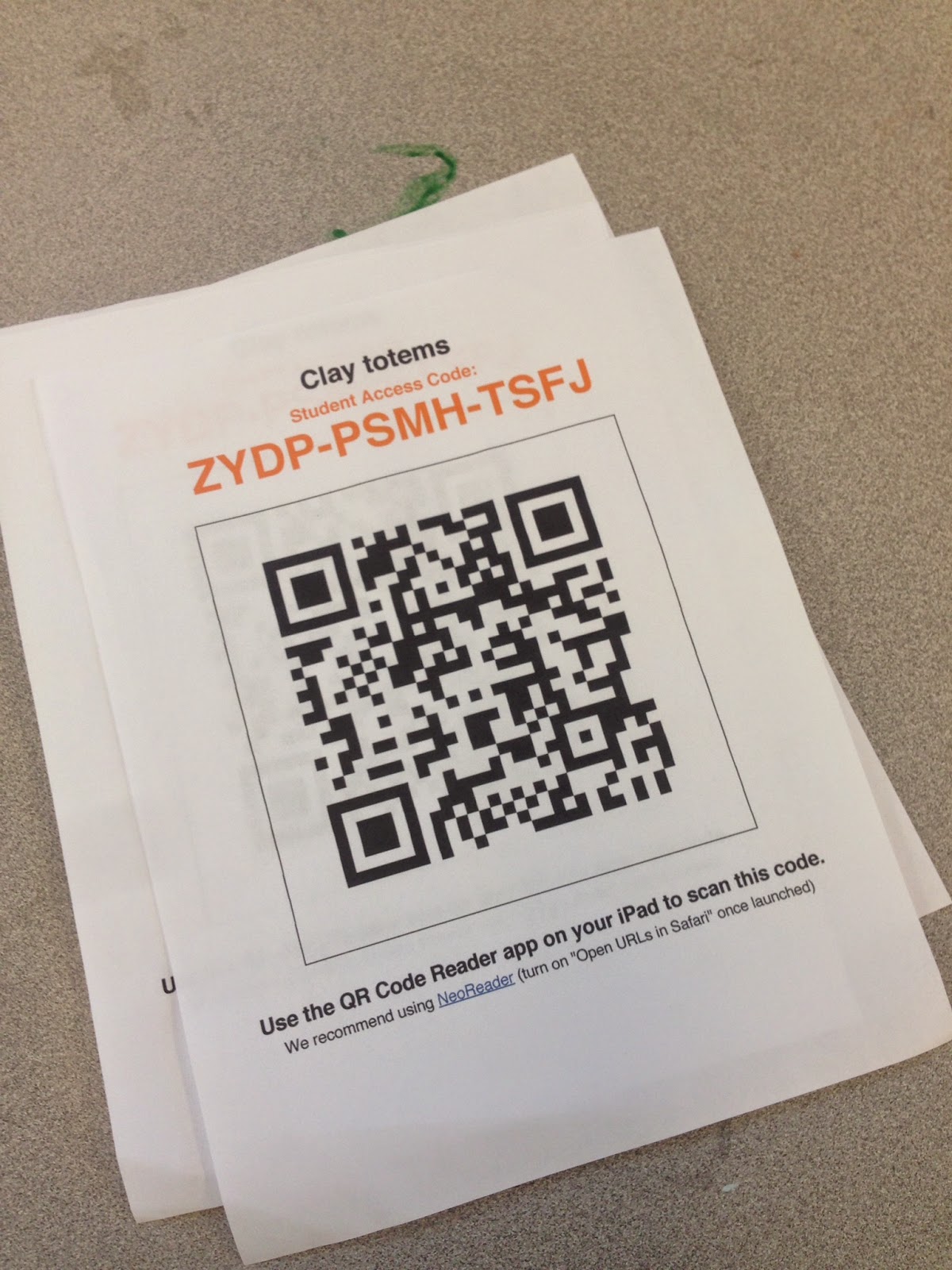
I have been using Artsonia for about 9 years now and love it. It is a great way to showcase student artwork as well as keep parents informed. Check it out at http://www.artsonia.com/. Each one of my students has their own digital portfolio with all of their artwork in it. I have 18 classes with about 20 students on average so it can get overwhelming some times. However, I think it is well worth it. Artsonia came out with a new feature called Classroom Mode. This allows me to save time by having students upload their artwork & statements. Starting this year my third and fourth grade students use the ipads to upload their artwork to the site themselves. It's a great time saver and it also teaches the kids how to photograph their artwork and also add titles and artist statements. I just print the QR code that Artsonia assigns to each of my exhibits and then the students scan the code which brings them to the Artsonia site. They choose their name, take and upload and edit their photo as well as add titles and artist statements if they choose. In the beginning it took a little extra time teaching them the process but now they are getting really good at it.
Another great feature is that you preview the entry before it is posted to the site. I can make corrections to the image and/or artist statement and publish it immediately, or send it back to the student for corrections. Right now not many of my students are choosing to write artist statements, we are still working towards that. I have 5 ipads to use and we don't always have time. I have loved reading some of the statements that the kids have written though. It has great potential for a reflection piece in class.



Another great feature is that you preview the entry before it is posted to the site. I can make corrections to the image and/or artist statement and publish it immediately, or send it back to the student for corrections. Right now not many of my students are choosing to write artist statements, we are still working towards that. I have 5 ipads to use and we don't always have time. I have loved reading some of the statements that the kids have written though. It has great potential for a reflection piece in class.

Saturday, November 1, 2014
Lego Minifigure Self Portraits
This project was a lot of fun. Everyone loves lego minifigures. I asked my fourth grade students to create a self-portrait minifigure style. They had to include things that represent themselves into their picture. We used cardboard to create layers and give some dimension. The relief made it easy to talk about foreground, middleground and background. We also talked about value. Students created value scales and then tried to color the foreground the darkest value, middleground a medium value and the background the lightest.


Wednesday, February 26, 2014
4th Grade Color Super Heroes
When my son was in first grade he made a project with the theme Primary Color Super Heroes. I loved the idea and knew that I wanted to do something with my kids using this theme too. I thought it would be perfect for my tinfoil people project that I had planned for fourth grade this year.
In class we reviewed the color wheel(primary, secondary, intermediate colors) as well as warm, cool, analogous and complementary colors. We also talked about tints and shades. It was a lot of information but we had talked about all of it at different times throughout the years.
Their challenge was to create a super hero that had a power that was connected to color somehow. The kids had a great time coming up with different powers but the challenge was linking it to the color wheel. We had some really creative powers.
The armature for the super hero was made from heavy duty aluminum foil. Here are some directions I found on Pinterest. Here is a link with great directions:http://2peasandadog.blogspot.ca/2013/03/tinfoil-sculpture-art-lesson.html
Once the armature was made we covered them with paper mache. This was a little challenging for the kids but they did a good job with it.
The kids made sketches of the ideas so they were able to refer to them when it came time to paint and decorate their superheroes. I had a variety of odds and ends that they could use for capes and other decorations. They really enjoyed this part. We used cardboard to create stands for them too.
Here are some of the finished pieces.
Some sketches

Our final part of the project was to use the ipad app ComicBook! to create a comic page of our super hero telling about them and their powers. This is a great app and the kids had fun with it. Here are some of their comic book pages.


Thursday, December 26, 2013
Snowmen at Night
My fourth grade students created these snowmen pictures after looking at the books Snowmen at Christmas and Snowmen at Night written by Mark & Caralyn Buehner. We loved looking at all the different kinds of snowmen and how they captured the look of reflected light in the illustrations. I asked my students to sketch some different kinds of snowmen and think about how they positioned them on their paper. We talked about cropping their sketches or zooming in. I also showed them how to blend with the cray-pa and we talked about how shading helps make things look more three-dimensional and realistic. The pictures really came out great. The kids worked hard on them. This has been one of my favorite lessons to teach. Just be prepared to go through a lot of white cray-pa!


Here are some pictures of our snowmen.


Tuesday, December 3, 2013
Fourth Grade Coil Pots
My fourth grade students have just finished making coil pots. They really enjoyed this lesson and their pots came out great. The students were given one class to practice rolling and building with coils. Groups of four or five students created one pot together. Some of the things I asked them to focus on were; rolling even coils, making coils the proper thickness, remembering to scratch and attach, and building a pot that was stable. The following art class each student created their own pot with the same criteria. They were encouraged to be as creative as they wanted as long as the pot was well built and finished in the 40 minute class. After the pots were fired the students sketched design ideas before under glazing and glazing their pots. We also had some fun with the pottery app on the ipads. I talked to them about other ways to create pots out of clay and showed them someone making a bowl on the potters wheel. The kids loved using the app to create their own piece of pottery. It was a fun connection for them.


Sunday, September 22, 2013
Artist Studios
Students looked at Henri Matisse's painting The Red Studio. We also looked at other kinds of art studios and talked about what an art studio was. There are so many great studio pictures on Pinterest! Each student chose a type of art and designed their own studio. The kids had fun designing their studios. We talked about what types of supplies they would need, types of furniture and lighting. I saw a similar project on Pinterest and thought it would be a great project for the start of the school year.
 |
| Henri Matisse's The Red Studio |


Saturday, June 15, 2013
Clay Initial Tiles
One of our last projects of the year and a great review of clay techniques. The kids loved this project. They could decorate the tile any way that they wanted; change the shape, press objects into the clay or add more clay. The only requirement was that they had to add an initial. It could be theirs, a friends, uppercase, lowercase, both initials, ect. I wanted to give them lots of freedom to be as creative as they liked. I think this was a great review in rolling coils, attaching clay and creating textures in clay.
They really turned out great. I will definitely do this lesson again.


They really turned out great. I will definitely do this lesson again.


Sunday, May 26, 2013
Fourth Grade Tessellations
My fourth grade students looked at the work of MC Escher and created some of their own tessellations. After we made our shape we brainstormed what kind of animal we could turn it into. This was both challenging and fun. We used sharpie and twistable crayons to add color. I asked my students to have some sort of pattern to their coloring.
Another fun app I found for the ipad is Amaziograph. I thought it was a great complement to this lesson. This app allows you to create drawings without symmetry, radial designs, and tiling symmetry designs (tessellations). We focused on the tiling symmetry designs. There were three different options to choose from. The kids really loved this app. Some other fun aspects of the app are color mixing and playing with the brush softness and opacity.
Another fun app I found for the ipad is Amaziograph. I thought it was a great complement to this lesson. This app allows you to create drawings without symmetry, radial designs, and tiling symmetry designs (tessellations). We focused on the tiling symmetry designs. There were three different options to choose from. The kids really loved this app. Some other fun aspects of the app are color mixing and playing with the brush softness and opacity.
 |
| Student Artwork |
 |
| Amaziograph Creations |

Saturday, February 16, 2013
African Textiles
In March our school is having an artist in Residence who will be teaching us about African Drumming which inspired us to create artwork about African Textiles. First grade students learned about Kente Cloth. We watched a video of an African boy weaving and looked at lots of pictures of the woven cloth. Students created their strips and decorated them using different types of lines and then wove them into a black piece of paper. I saw a version of this lesson on Artsonia. Here is the link: http://www.artsonia.com/museum/art.asp?id=15678256&exhibit=447434&gallery=y
Second grade students created printed patterns inspired by African Mudcloth. I found this great site that explains the process of making the cloth: http://www.mnh.si.edu/africanvoices/mudcloth/index_flash.html
We used cardboard and white paint to print the patterns and oil pastels to add some color. Here is a little video of a student working on their pattern. I used the imotion HD app on the ipad to make it.


Second grade students created printed patterns inspired by African Mudcloth. I found this great site that explains the process of making the cloth: http://www.mnh.si.edu/africanvoices/mudcloth/index_flash.html
We used cardboard and white paint to print the patterns and oil pastels to add some color. Here is a little video of a student working on their pattern. I used the imotion HD app on the ipad to make it.
Fourth grade students looked at Adinkra cloth. We watched a few youtube videos of the cloth being stamped as well as some photographs of the cloth and stamps. I printed a sheet of the Adinkra symbols and their meanings for my students to use. Each student chose a piece of cloth (recycled from a past project) and used the symbols and sharpie to decorate their cloth. The students will wear these when they are doing their drumming.


Sunday, February 3, 2013
The Clean-up Comics
We had some fun using the ComicBook! app in art class. Students were given the assignment to create a short comic that would teach the younger students some of our clean-up procedures in art. We started by using a blank template to storyboard our ideas. Next, students drew pictures, made props, or figured out how they were going to photograph their story. Some students chose to work in groups which was a little easier for them to set up and take the pictures. The next class we brought the ipads in and turned our storyboards into comics. ComicBook! is a great app. It does cost $1.99 but I think it is worth it. I tried looking for free comic apps but they just weren't that great. This app has fun photo effects, speech bubbles, stickers and lots of layouts. They kids had a blast. Here are a few of the finished comics that didn't have any photos of kids in them.
Here are examples of our story boards:


Final comics:


Wednesday, December 5, 2012
Van Gogh Chairs


Fourth grade students looked at Vincent van Gogh's chair paintings and then created their own. We talked about how to draw and color something so that it looks three dimensional. We also experimented with our cray-pa, blending and creating textures. Each student added personal touches to their pictures with objects that represent hobbies or favorite things.

Monday, November 5, 2012
Straw Weaving
Each year in our school first and fourth grade students participate in a feast. The first graders are Pilgrims and the fourth grade students are the Native americans. They gather together to share a snack, sing songs and bring a handmade gifts. In art class the fourth grade students made straw weavings to wear to the feast. The weavings took a long time but the kids love them. They also worked on them in their classroom during snack or quiet reading time. If you have never tried straw weaving before it's a lot of fun and the kids really enjoyed it. You could do 3 straws and make a bracelet. That would be quick and still give students the chance to learn the weaving technique.


Subscribe to:
Posts (Atom)